
AI memory infrastructure
The thread that connects your AI tools.
Skein is memory infrastructure, not another notes app. Connect once over MCP, and Claude, Cursor, ChatGPT, and every compatible client can search your memory and capture new thoughts. You scope every connection, see what each tool has touched, and turn any one off on its own.
Works with any AI tool that supports MCP servers.
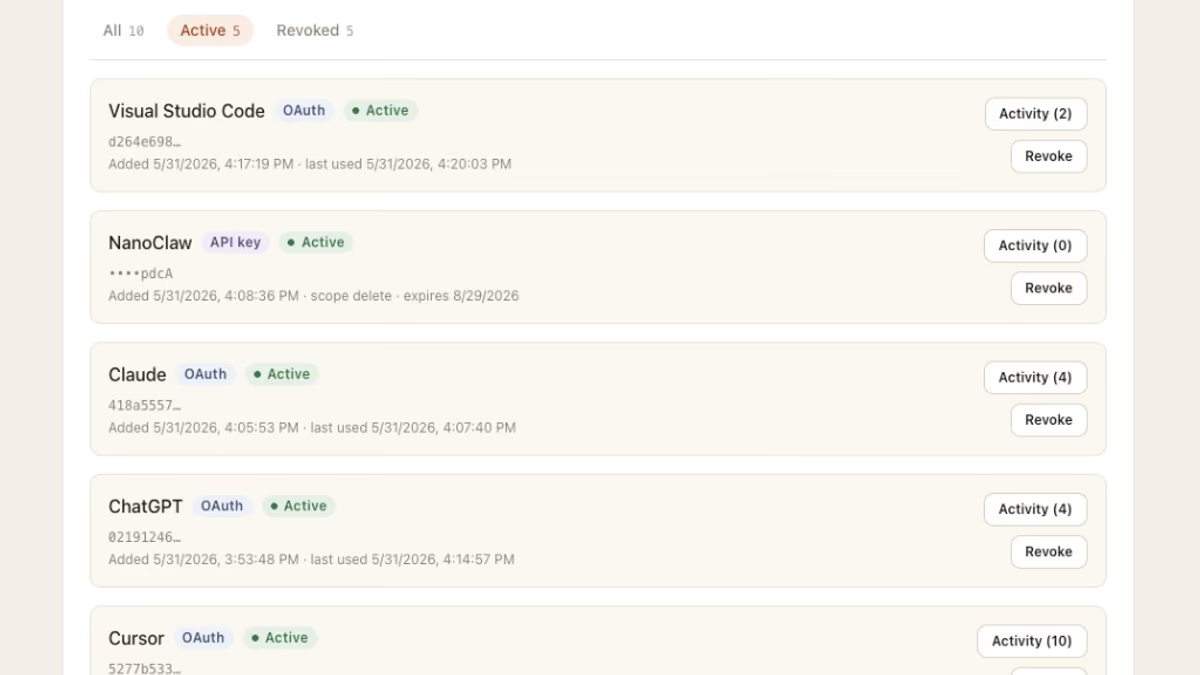
Memory infrastructure, not another notes app.
Your AI tools are the product. Skein is the thread that makes them remember you across providers, contexts, and subscriptions.
One personal endpoint
Every account gets a unique MCP URL with rotating OAuth credentials. Paste it into any MCP-compatible client, and every assistant can search your memory and capture new thoughts.
Capture as you work
A connected assistant stores a thought over MCP while you are in the middle of something, with no notes app to open and no manual organization. When you want to jot something down with no tool open, there is a web capture box too. Either way, thoughts land on the thread and stay searchable.
Hybrid search that just works
Vector similarity, full-text search, recency decay, and entity extraction, without tags, folders, or manual organization. “What did the contractor quote for the deck” finds “Mike said $14k for cedar.”
Cross-tool by design
Stop re-explaining yourself every time you switch assistants or subscriptions. Your memory follows you instead of staying locked inside one provider’s product.
Control every connection
Scope each connected tool to read or write, see when it last reached your memory, and revoke any one on its own. A tool that only needs to look things up never gets permission to change anything, and you can limit any of your agents to specific namespaces, with read, write, or full access set per space. A pasted connection token can be scoped to read only and set to expire, so it is no riskier than a one-click approval.
Secrets stay out of your memory
When a capture contains something like an API key, an access token, or a private key, Skein holds that thought aside before it can spread. It is still saved, but it stays out of search and out of reach of your connected tools until you resolve it in your security settings, where you can clear it, redact just the secret, or let it through. Available on Pro and Max.
Know where each memory came from
Every memory records which tool wrote it and when, with the history of how it changed. Trace why your AI believes something about you, see what a thought said before it was edited, and correct it at the source.
Separate spaces by context
Keep work in one space, personal life in another, and a specific client or project in its own, so the right memory shows up in the right place and nothing bleeds between them.
Share a space, read only
Hand one namespace to someone and their AI tools can read that thread, while the rest of your memory stays private to you. It is what you want when a client, a work project, or something personal like a trip you are organizing needs context that more than one person's assistant can pull from, instead of each person re-explaining the same background. People you share with can see the space, not change it. Available on Pro and Max.
Bring your own key
On Max, connect your own OpenAI-compatible API key. Skein routes the work of turning captures into searchable memory through your provider instead of ours, so your monthly capture limit goes away. You pay your provider directly for that processing.
Portable by default
Export to JSON any time. Point your own MCP client at Skein. Your memory belongs to you, not the provider.
Privacy without lock-in
Built for people who want AI memory persistence without handing years of context to a single vendor. Complements provider-native memory; it does not replace your tools.
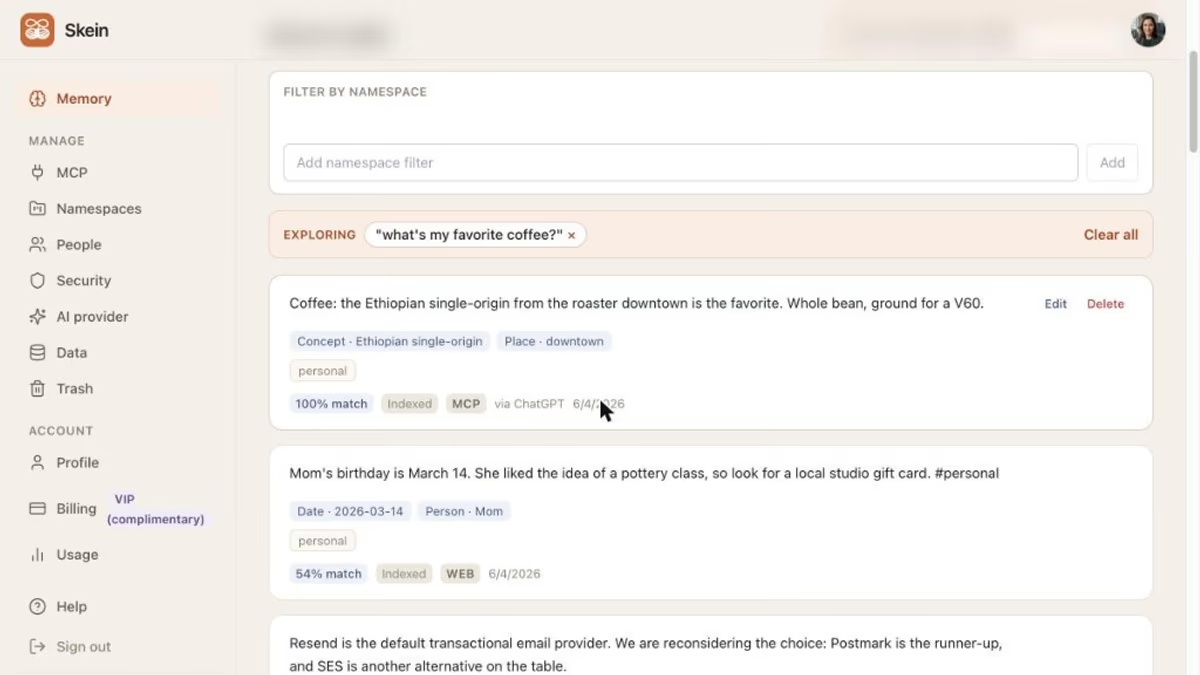
End cross-tool amnesia.
You explained a project to one assistant last month, but you are working in another today, so you start over, abbreviate, and lose detail every time. Skein keeps one thread every MCP client can pull from, so context survives subscription changes and new tools.
See features →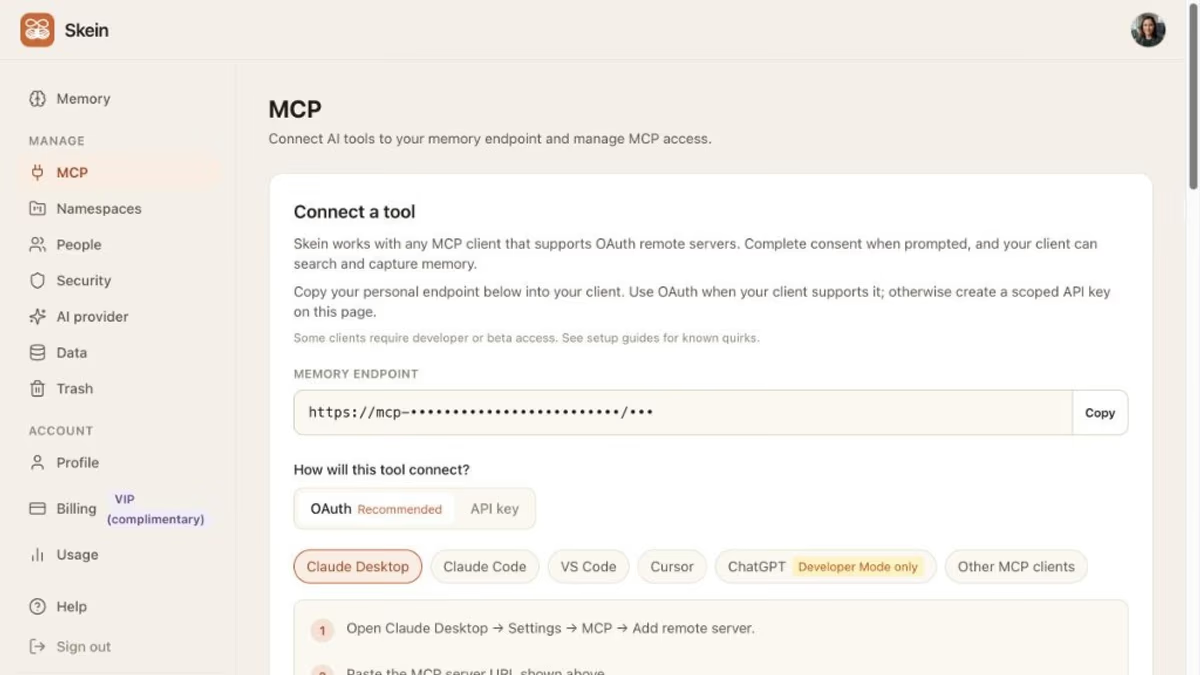
Connect once. Recall everywhere.
Sign up, copy your personal MCP endpoint, and paste it into the AI tools you already use. From that point forward, search your memory and capture new thoughts without rebuilding context in each app.
View pricing →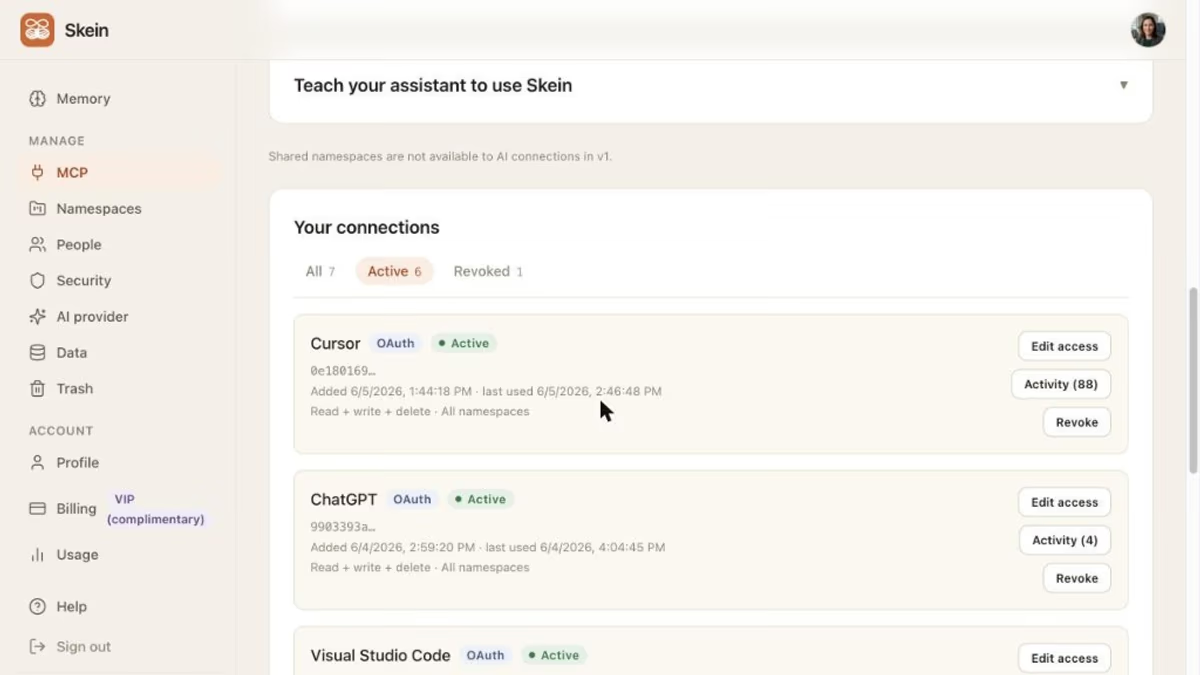
See and control what your tools can do.
Connecting several AI tools to one memory only feels safe if you can see what each of them does with it. Skein scopes every connection to read or write, logs when each tool reaches your memory, and lets you revoke any one without touching the others. When a capture contains something like an API key, Skein holds it aside before it can spread into your searchable memory. Every memory carries where it came from and how it has changed, so you can trace what your AI believes about you and fix it at the source.
How we handle trust →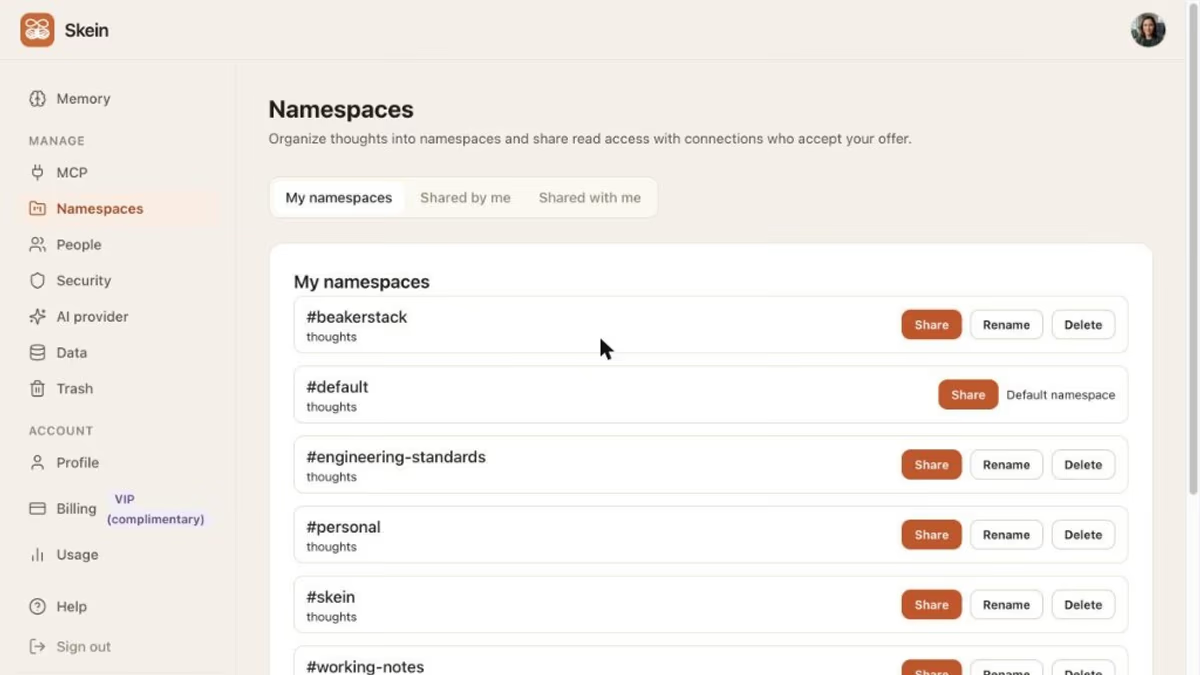
Built for people juggling more than one context.
Consulting clients in one tool, personal projects in another, side work in a third. Your work is not owned by a single workspace, and your memory should not be either. Skein keeps neutral infrastructure between the tools you choose.
Read the FAQ →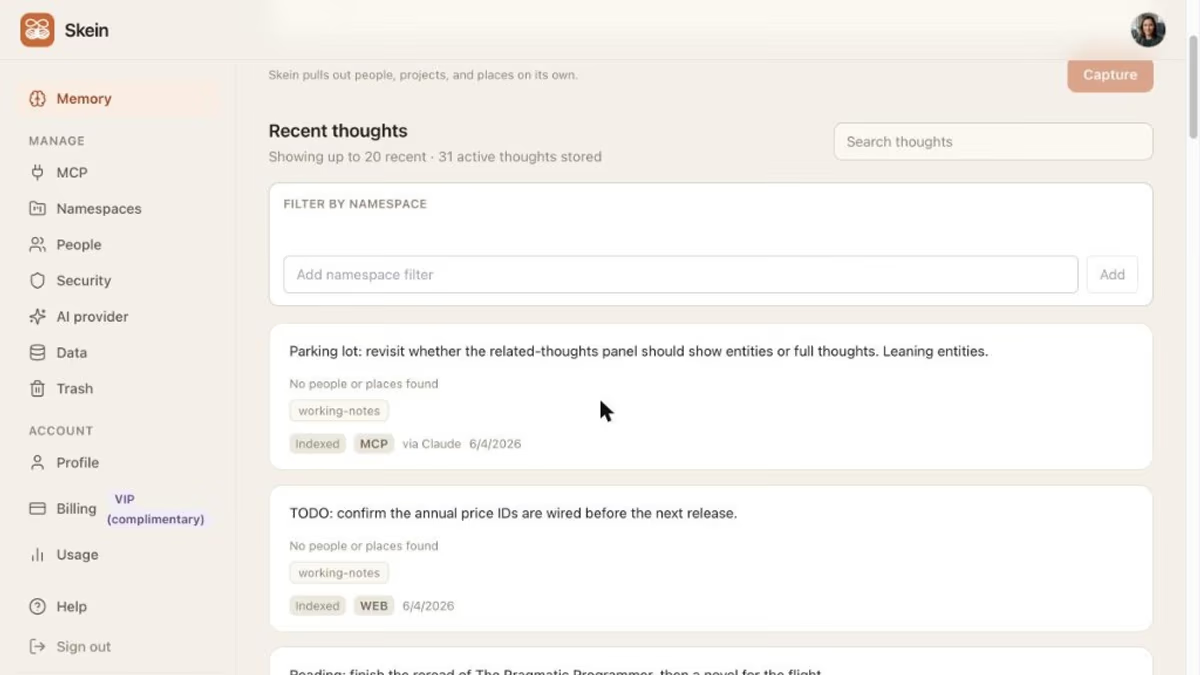
No app to open. It works inside your tools.
Your connected assistants capture new thoughts and recall what you need as you work, through MCP, so there is no destination app to check. When you want to drop a thought with no tool open, the web capture box is there too.
Start capturing →Connect everything
On every plan
Bring your own key
On Max
Scoped and revocable
Control what every connected tool can do
Plans for heavy use.
Connect every MCP client on every plan. Connection is never gated behind payment. Free is enough to feel the real thing. Pro raises your monthly captures and turns on secret scanning and namespace sharing. Max takes captures higher, makes namespaces unlimited, and lets you bring your own key for captures with no monthly limit. Pay monthly, or choose annual and get two months free.
Frequently asked questions
What is Skein?
How do you pronounce Skein?
Which AI tools work with Skein?
How is this different from ChatGPT memory or Claude projects?
How is this different from Mem, Reflect, or Notion AI?
Is Skein a notes app or second brain?
What do I get on the free plan?
What do the paid plans add?
What is secret scanning?
Can I bring my own API key?
Can I share a namespace with someone, and who can see it?
Can I import my existing memory?
Can I export my data?
Where is my data stored, and who can access it?
Who is Skein for?
Connect your tools. Keep one thread.
Stop re-explaining yourself every time you switch assistants. Memory infrastructure that works where you already work.